
Your optimal price point is the price that maximises your margin without making you uncompetitive. It is not simply the lowest price in the market. It is the right price, based on what your competitors are actually charging, whether they have stock, and what it costs you to fulfil the order. Most retailers are missing at least one of these inputs. Here is what you need, and how to put it to work.
The three data inputs for an optimal price point:
- Total landed cost: Your fulfilment price, including shipping, not just the shelf price
- Competitor stock status: Are the competitors you are pricing against actually in stock?
- Your margin floor: The minimum price you can sell at before the order stops being profitable
Why shelf price alone gives you the wrong price point
Most retailers price based on shelf price alone. That is the mistake. The shelf price ignores shipping costs, which means your view of the market is incomplete. If you sell a product for $50 with $10 shipping and your competitor sells it for $55 with free shipping, you are actually more expensive even though your shelf price looks lower. Manual tracking rarely catches this.
The goal is to move away from spreadsheets and gut feelings. You need a strategy that uses accurate data to defend your position in the market. This guide explains how to transition from reactive manual checks to a proactive, dynamic pricing strategy using modern tools.
What total landed cost actually means for your margins
An accurate price point accounts for the total amount the customer pays. This means calculating the total landed cost (the shelf price plus shipping), rather than the displayed price alone.
Beyond that, your pricing decisions should exclude competitors that are out of stock. If your cheapest competitor runs out of inventory, you are no longer competing with them. You can raise your price to the next cheapest competitor’s level. Without this filter, you sacrifice margin unnecessarily to beat a competitor who cannot fulfil the order anyway.
Competitors also change prices dynamically throughout the day. A manually calculated price point is often obsolete by the time you publish it to your webshop. If a competitor drops their price at 9 AM and you do not react until the next morning, you lose a full day of potential sales volume.
How competitor stock status changes your price point calculation
Calculating a winning price requires more than just checking Amazon or Google Shopping. You need to aggregate data across several layers to understand the true cost of conversion.
First, total landed cost. Second, competitor stock status. Your pricing decisions should only react to competitors who are active in the market. If your cheapest competitor goes out of stock, that threat disappears. You can move your price up to the next level without losing the sale.
The most effective calculations combine three data inputs. You need inventory levels to understand supply. You need competitor behaviour to understand market context. You need historical performance to understand demand. Bringing these together enables confident, data-driven competitive pricing analysis.
How to automate optimal pricing across your full catalogue
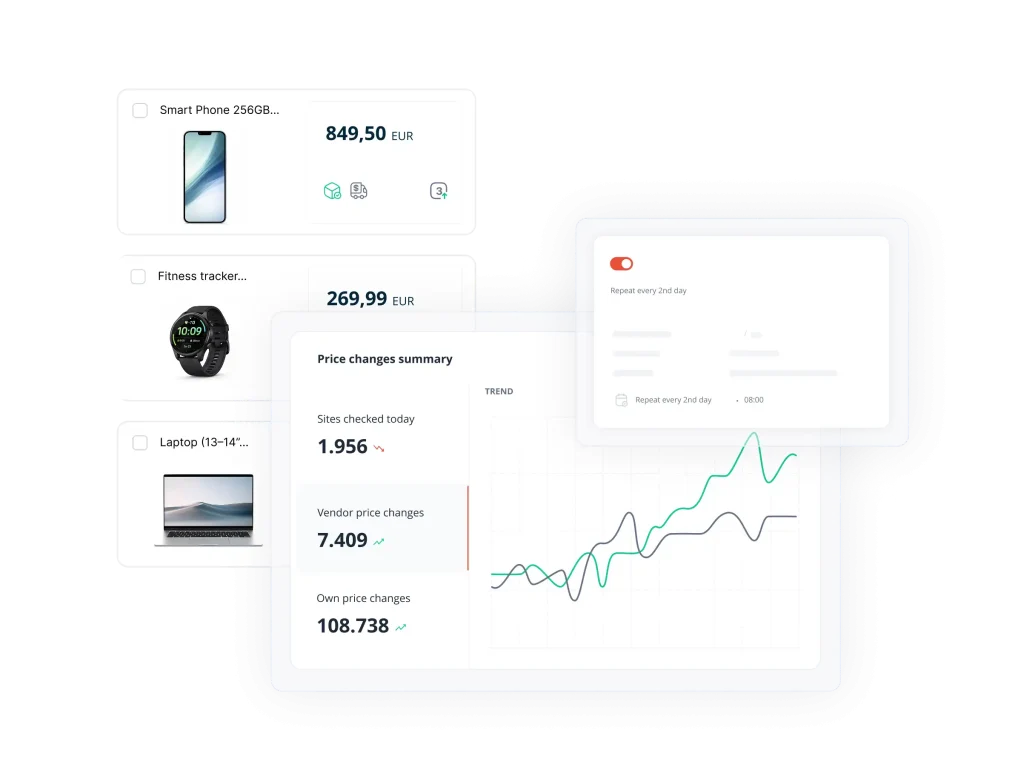
Scaling a pricing strategy across thousands of SKUs is impossible without automation. But automation does not mean handing over control without supervision. A rules-based approach gives you control over the logic while the software handles the execution.
Tools like PriceShape allow you to build flexible strategies. You can set automated pricing rules such as “always be 2% cheaper than competitor X but never below 10% margin.” It removes the emotion and delay from repricing. It ensures your prices reflect the current market reality instantly.
You can also use dynamic product grouping. Automated repricing software can categorise products into groups like “slow movers” or “high traffic.” This allows you to apply different repricing rules for different parts of your catalogue. You might want aggressive pricing on slow-moving stock to clear shelf space. On high-traffic items where you already have the buy box, you can focus on maximising margin instead.
Set rules to clear inventory and protect profit
Here are three tactics to protect profit while increasing sales:
- Smart Campaigns: Run “up to X% off” offers where the discount dynamically adjusts. The system calculates the minimum discount needed to beat the competition. This saves margin compared to flat-rate discounts.
- Stock-Level Pricing: Configure rules to automatically increase prices on low-stock items to maximise value. Alternatively, lower prices on dead stock to clear inventory before it becomes a liability.
- Competitor Matching: Set rules to match or beat specific competitors only when they have the product in stock. Ensure your internal margin thresholds are met before any price change occurs.
Set strict floor prices and margin rules that the software must obey. This ensures automated repricing never triggers a race to the bottom and protects your margins regardless of competitor behaviour.
How pricing data improves your ad spend
Your pricing strategy and your marketing strategy must work together. Spending ad budget on products that are priced too high to convert is a quick way to burn capital. Use data to identify which products are ready for promotion and which should be paused.
Start with feed optimisation. Stop paying for clicks on products that are not competitive. Use data to identify which items are currently price leaders. This is a vital part of a modern Google Shopping pricing strategy. PriceShape can inject custom labels into your feed, tagging products as “High Margin” or “Price Leader” so you can prioritise ad spend on winning products directly from your campaign settings.
It is also worth identifying basket openers. These are products where a small price drop drives significant traffic. Once the customer is on your site, they often buy less price-sensitive accessories alongside. Bid aggressively on these products to drive traffic, then protect margin on the rest of the order.
Start pricing with precision
Finding your optimal price point takes more than a calculator. It requires competitor pricing data, shipping costs, and inventory status to work together in one place. When they do, you stop reacting to the market and start leading it.
PriceShape turns that raw market data into market intelligence, which you use to set pricing rules automatically, and within the margin boundaries you set. Book a demo with a free trial to see how it works.